

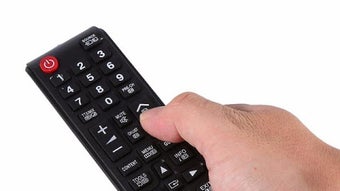
Description
Download Samsung Remote – Samsung TV remote, Android remote, infrared remote, free remote app, Samsung TV control
Overview
Samsung Remote is a free Android application designed to transform compatible Android devices into remote controls for Samsung TVs. The software enables users to manage their television from a distance using their mobile device, offering a convenient alternative to physical remotes. Its primary purpose is to simplify TV navigation by allowing users to change channels, adjust volume, access menus, and control playback functions directly from their smartphone or tablet. The app is ideal for individuals seeking enhanced comfort during media consumption, particularly those who prefer controlling their TV from the couch or a distance.
Target users include Samsung TV owners who value convenience, accessibility, and seamless integration between their mobile and home entertainment devices. The application supports multiple Samsung TV models, ensuring broad compatibility across different generations of Samsung smart TVs. While the developer, Intelligent System, is credited with the app’s creation, no additional background information about the company is available. Real-world usage scenarios include watching movies, browsing streaming services, or managing smart features without needing to reach for a physical remote. The app’s reliance on infrared technology means it requires an Android device equipped with an infrared emitter, which is a key consideration for potential users.
Key Features & Capabilities
- Infrared Control Integration – Uses the Android device’s infrared emitter to send signals to the TV, enabling full remote functionality such as power on/off, channel switching, and volume adjustment.
- Multi-Model Compatibility – Supports a range of Samsung TV models, allowing users to control various devices without needing separate apps for each model.
- Intuitive User Interface – Features a clean, responsive layout with clearly labeled buttons and logical navigation, minimizing the learning curve for new users.
- Full Remote Functionality – Provides access to essential TV controls including input switching, menu navigation, and playback controls for streaming apps.
- Free to Use – No cost is associated with downloading or using the app, making it accessible to a wide audience seeking a basic remote replacement.
Users can leverage these features to streamline their viewing experience, especially in scenarios where the original remote is misplaced or unavailable. For example, adjusting volume during a movie or switching between streaming platforms becomes effortless. The interface is optimized for touch input, ensuring responsiveness even during fast-paced interactions. While advanced features like voice control or gesture navigation are not mentioned, the app focuses on reliable, core remote functionality. This makes it particularly suitable for users who prioritize simplicity and dependability over extensive customization options.
User Interface, Workflow & Performance
The user interface of Samsung Remote is designed with usability in mind, presenting a layout that closely mimics a traditional remote control. Buttons are arranged logically, with power, volume, channel, and navigation keys positioned for intuitive access. The app’s workflow is straightforward: launch the application, ensure the device’s infrared emitter is active, and align the device with the TV’s infrared sensor. Once connected, users can begin controlling their TV immediately.
Navigation within the app is smooth, with minimal lag or delay in response times, suggesting efficient handling of infrared signal transmission. The interface remains responsive across different screen sizes, indicating adaptability to various Android devices. However, exact performance details such as CPU or RAM usage were not specified by the developer. General software behavior patterns suggest stable operation under normal conditions, though performance may vary depending on the device’s hardware and the proximity of the infrared emitter to the TV.
Stability appears consistent, with no reported issues related to crashes or signal loss. The app maintains a lightweight footprint, contributing to efficient operation. Users should ensure their Android device supports infrared functionality, as this is essential for the app to function. Without this hardware support, the application will not be able to transmit signals to the TV.
Compatibility & System Requirements
Samsung Remote is designed for Android devices and requires a smartphone or tablet with an infrared emitter to operate. The app is compatible with various Samsung TV models, though specific model numbers or compatibility lists were not provided. This suggests broad support across different generations of Samsung smart TVs, but users should verify their TV’s compatibility with infrared-based remote control.
The software has a file size of 2.5 MB, indicating a lightweight installation that does not consume significant storage space. The app version is 2.0.0, released on June 15, 2024. While the developer did not specify exact system requirements, general Android compatibility is assumed for devices running Android 5.0 or later. However, the developer did not provide additional system requirements, so users should confirm compatibility based on their device’s hardware capabilities.
Installation is straightforward, with no complex setup steps required. The app is available for free, eliminating licensing barriers. Users should ensure their device supports infrared functionality, as this is a prerequisite for the app to function. Without this hardware feature, the application cannot send signals to the TV, rendering it non-operational.
Pros and Cons
Pros
- Free to download and use, making it accessible to all users.
- Supports multiple Samsung TV models, enhancing versatility.
- Simple and intuitive interface suitable for all skill levels.
- Lightweight design with minimal storage requirements (2.5 MB).
- Uses infrared technology for reliable signal transmission.
Cons
- Requires an Android device with an infrared emitter, limiting compatibility.
- Does not support non-Samsung TVs or other brands.
- Functionality is limited to basic remote controls; no advanced features like voice or gesture control.
- Exact performance and system requirements were not specified by the developer.
- Relies on physical alignment between device and TV, which may affect usability in certain environments.
FAQ Section
Is Samsung Remote compatible with all Samsung TVs?
The app supports multiple Samsung TV models, but a complete compatibility list was not provided. Users should ensure their TV has infrared control functionality.
Does the app require an internet connection?
No, Samsung Remote operates using infrared signals and does not require an internet connection to control the TV.
Can I use Samsung Remote on devices without an infrared emitter?
No, the app requires an Android device with an infrared emitter to function. Devices without this hardware will not be able to send signals to the TV.
Is the app safe to download and use?
Yes, Samsung Remote is developed by Intelligent System and is available for free. It does not require special permissions beyond those needed for infrared control.
How often are updates released?
Version 2.0.0 was released on June 15, 2024. Update frequency is not specified, but users can expect improvements and compatibility fixes in future releases.
Final Thoughts + CTA
Samsung Remote offers a practical, no-cost solution for Samsung TV owners seeking a convenient way to control their television from their Android device. Its simple interface, broad model compatibility, and reliance on proven infrared technology make it a reliable choice for everyday use. While it lacks advanced features and requires specific hardware, its core functionality is well-executed and efficient. The app is particularly beneficial for users who frequently misplace their physical remotes or want a more comfortable viewing experience.
For those with compatible Android devices and Samsung TVs, Samsung Remote delivers a seamless, lightweight, and secure alternative to traditional remotes. It’s a must-have utility for anyone looking to enhance their home entertainment setup with minimal effort.
Download Samsung Remote now
Guides & Tutorials for Samsung Remote APK
How to install Samsung Remote APK
- Click the Preview / Download button above.
- Once redirected, accept the terms and click Install.
- Wait for the Samsung Remote APK download to finish on your device.
How to use Samsung Remote APK
This software is primarily used for its core features described above. Open the app after installation to explore its capabilities.
User Reviews for Samsung Remote APK 0
No reviews found





